For individuals and businesses

Stop organising files manually.

From everyday folders to business-wide file organisation.

Sortem helps individuals and businesses organise and rename large numbers of files in minutes. Select a folder, describe how you want it organised, review the proposed changes and let Sortem handle the repetitive work.

Organise. Rename. Automate. Undo.

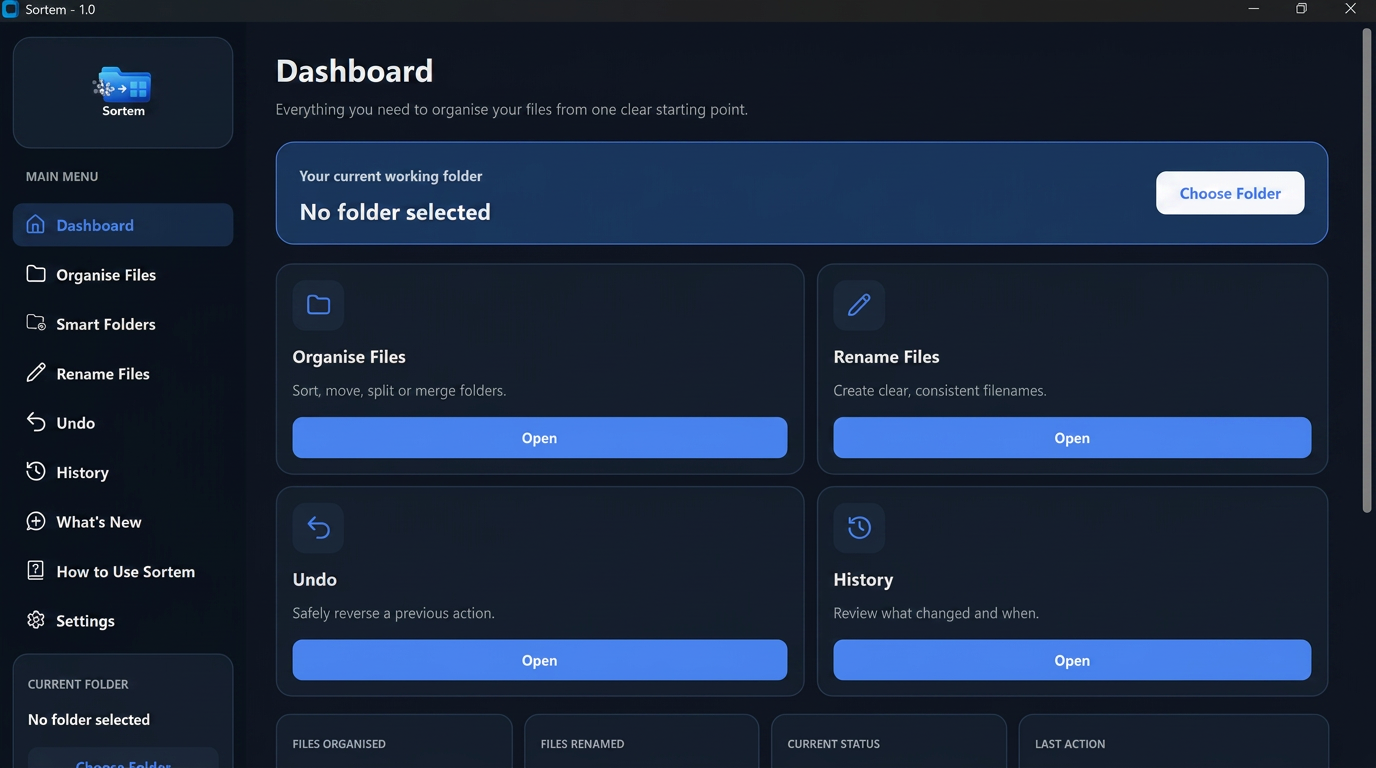
Sortem — Dashboard
Screenshot of the Sortem desktop application dashboard

See Sortem in action

Turn a messy folder into a clear, organised structure in under a minute. Tell Sortem what you want, review the changes, then approve them.

Sortem — Product demonstration
A complete Sortem workflow: from messy folder to organised structure.
...

File organisation shouldn't take hours.

Businesses accumulate thousands of invoices, contracts, client documents, reports and downloads. Sorting them manually wastes time and inconsistent filing makes information harder to find.

Before Sortem

Messy filenames, scattered folders and inconsistent organisation.

  • invoice_final(2).pdf
  • scan0032.pdf
  • Downloads / Desktop / random folders
  • Everyone names files differently

After Sortem

Clear folders, consistent names and an organised structure.

  • Finance / 2026 / Invoice — Acme — Mar 2026.pdf
  • Legal / Contracts / Contract — Acme — 2026.pdf
  • Clear, predictable folder structure
  • Consistent naming across the team

Everything you need to take control of your files.

Organise Files

Select a folder and describe how you want it organised. Sortem analyses the files and creates the structure for you.

Rename Files

Turn unclear and inconsistent filenames into useful, understandable names across an entire folder.

Smart Folders

Create folders that organise new files automatically as they arrive.

Undo & History

Keep a clear record of Sortem's actions and reverse previous changes when needed.

Tell Sortem what you want. Stay in control.

AI helps Sortem understand your instructions. You choose the folder, review the proposed changes and decide when to approve them.

1

Choose a folder

Select the folder you want Sortem to work with.

2

Describe what you want

Give Sortem instructions in normal English.

Your instruction

Put invoices into Finance, contracts into Legal and employee documents into HR. Anything else should go into Unsorted.

3

Review the proposed changes

Check Sortem's plan before anything is moved or renamed.

4

Approve the changes

Apply the plan only when you are happy with it.

No complicated rules. No manual dragging and dropping.

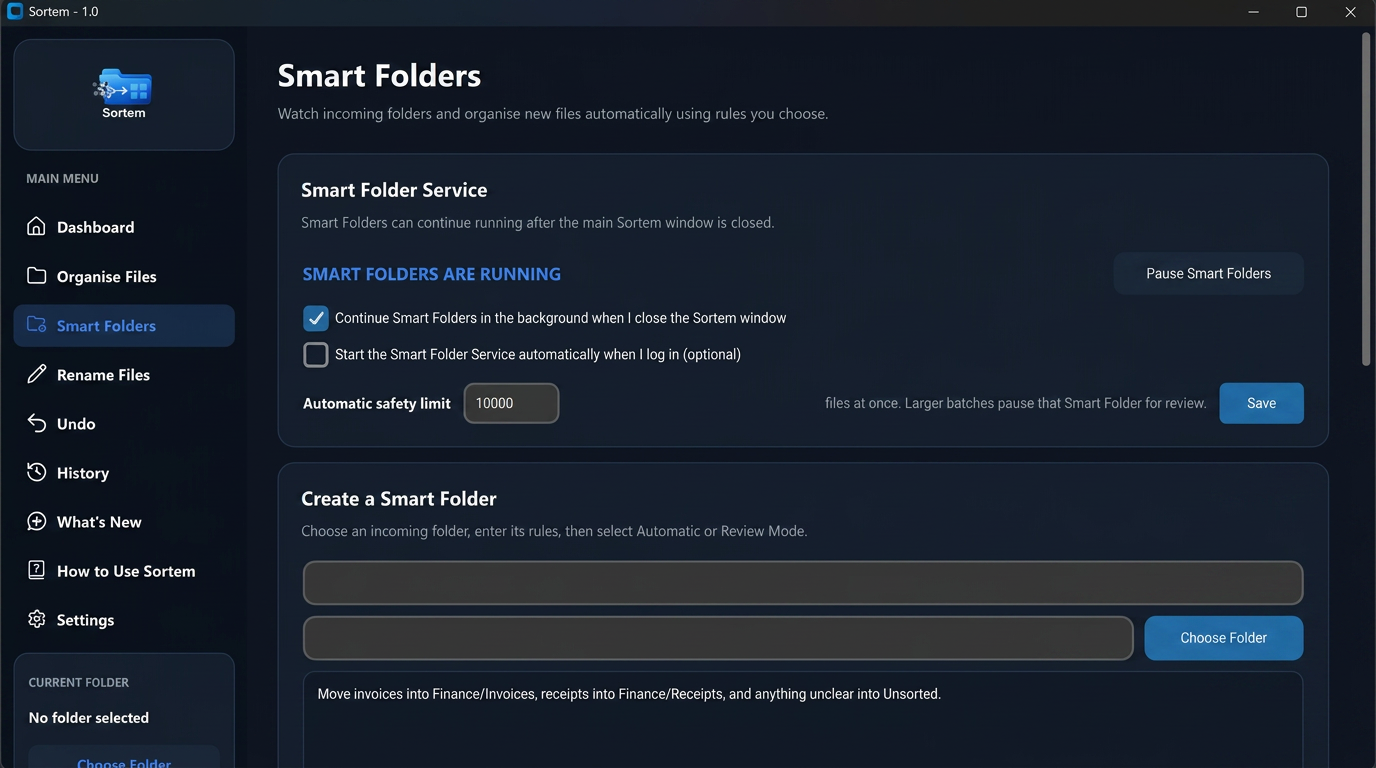
Smart Folders

Organise it once. Keep it organised.

Smart Folders watch for new files and automatically organise them using instructions you choose.

  1. New file arrives
  2. Smart Folder detects it
  3. Sortem understands it
  4. File moves to the right place

Automatic Mode

New files are organised automatically in the background.

Review Mode

Sortem suggests where files should go and lets you review the result first.

Smart Folders can continue working in the background, so your filing stays organised without repeatedly opening Sortem.

Preview changes before they happen.

Sortem shows you its proposed file changes before applying them, so you can review the plan before anything is moved or reorganised.

Sortem — Smart Folders
Screenshot of the Sortem Smart Folders screen, showing automatic folder rules and review settings

Automation without losing control.

Preview changes

Review manual organisation plans before applying them.

Undo

Reverse supported organisation and rename actions if you change your mind.

Activity history

See what Sortem has done and when.

Review Mode

Use Smart Folders without allowing files to move automatically.

Changed your mind? Undo it.

Sortem keeps a history of your changes, so previous organisation actions can be reversed when needed.

Sortem — Undo demonstration
Reversing a previous organisation action using Sortem's Undo.
Personal use

Bring order to the folders you use every day.

Sortem can take on the folder clean-ups that are easy to postpone and time-consuming to finish by hand.

Everyday Documents

Turn folders full of bills, letters, receipts and miscellaneous documents into a structure that makes sense.

Downloads & Desktop Cleanup

Turn an overloaded Downloads or Desktop folder into useful categories without working through every file by hand.

University & Study

Keep lecture material, assignments, research, notes and module documents in a consistent structure.

Photos & Personal Files

Organise collections using the information available in filenames and the context of their folders.

Freelance Work

Separate projects, clients, invoices, contracts and deliverables without constantly maintaining folders yourself.

Life Admin

Bring household documents, insurance, receipts, warranties and vehicle paperwork into a clearer filing system.

Try asking Sortem:

  • “Organise these university files by module and document type.”
  • “Separate these documents into bills, insurance, receipts and household documents.”
  • “Clean up this Downloads folder and create a sensible folder structure based on the filenames.”
Business use

Built around the way your business already works.

You do not need to replace your filing system or learn a complicated document-management platform. Select the folders you already use and tell Sortem how their files should be organised or renamed.

  1. 1Select the folder
  2. 2Describe the result
  3. 3Preview the changes
  4. 4Approve the plan

Accountancy & Bookkeeping

Organise client documents, invoices, receipts, tax records, payroll files and year-end paperwork into consistent client and financial-period structures.

Example instruction

“Organise these documents by client, then separate invoices, receipts, payroll and tax documents.”

Construction & Contractors

Bring invoices, quotations, site reports, project paperwork and safety documentation from multiple projects into order as files accumulate.

Example instruction

“Organise these files by project, then separate invoices, site reports, quotations and project documents.”

Property & Estate Management

Organise inspections, invoices, tenancy paperwork, maintenance documents and compliance records by property, landlord, tenant or document type.

Example instruction

“Organise these documents by property, then separate tenancy, maintenance, inspection and invoice files.”

Legal & Professional Services

Maintain consistent matter and client folders, and organise appropriately named administrative files using filenames and folder context.

Example instruction

“Organise these administrative files by client and matter, then group them by document type.”

Recruitment

Organise candidate, client, vacancy and administrative files into consistent structures, while standardising unclear filenames.

Example instruction

“Separate these files by vacancy, then organise candidate, client and administration documents.”

Consultancies & Agencies

Separate work by client and project, then organise proposals, reports, deliverables, invoices and supporting material.

Example instruction

“Organise these files by client and project, then separate proposals, reports, deliverables and invoices.”

Finance & Administration Teams

Organise recurring invoices, reports, supplier documents, expense records and administrative files without filing each one manually.

Example instruction

“Separate these files into supplier invoices, expenses, reports and general administration.”

Small Businesses

Give growing companies without dedicated document-management teams a straightforward way to keep shared business folders organised.

Example instruction

“Organise this shared folder by business area, then separate each area by document type.”

Your workflow doesn't need to fit a template.

These are examples, not fixed industry modes. Sortem works from your own instructions, so it can adapt to many filing structures and workflows without asking you to abandon the system your organisation already knows.

Tell Sortem how you organise. Let Sortem handle the repetition.

By default, Sortem generates organisation and rename suggestions from filenames, limited folder/path context and the instructions you provide — not file contents. Optional content-aware renaming only accesses relevant information from supported files when you explicitly enable it. Preview, History and Undo help you stay in control.
Choose how much you want to automate.

Standard

Organise when you need to.

Coming soon

Pricing announced at launch.

Get Sortem
  • Organise Files
  • Rename Files
  • Undo
  • History
  • Manual file organisation

Smart Folders not included.

Recommended

Professional

Let Sortem handle the everyday filing.

Coming soon

Pricing announced at launch.

Get Sortem

Everything in Standard, plus:

  • Up to 2 Smart Folders
  • Automatic Mode
  • Review Mode
  • Background automation
  • Flexible destination folder structures

Business

Automate across your business.

Coming soon

Pricing announced at launch.

Get Sortem

Everything in Professional, plus:

  • Unlimited Smart Folders
  • Full automation capabilities
  • Advanced features
  • Business/team functionality (coming soon)

Built for more than a handful of files.

Sortem is designed to handle large folders and bulk organisation, so you can clean up existing filing systems as well as manage everyday files.

Privacy built into how Sortem works

Sortem does not send your file contents to AI during normal organisation or renaming. It uses file names, limited folder/path context and your instructions. Content-aware renaming is optional, off by default and only works when you deliberately enable it.

Your file contents stay private by default

Sortem moves and renames files directly on your computer. During normal organisation and renaming, it does not send file contents to AI.

Only the information needed for AI processing

By default, Sortem uses file names, limited folder/path context and your instruction to generate organisation and rename suggestions. File names and paths can contain personal or confidential information, so consider this when using AI features.

Off by default

File Content Access — Your Choice

For files with unclear names, you can optionally allow AI to use relevant information extracted from supported files to understand what they are and suggest more useful names. This applies only to content-aware renaming and activates only when you explicitly enable it for that operation.

Local history and Undo

Sortem keeps activity and Undo information locally so supported changes can be reviewed and reversed. It may read small samples locally to create a recovery fingerprint; these samples are used for local recovery, not as AI input.

Secure account and payment providers

Sortem uses established third-party services for authentication, payment processing, cloud infrastructure and AI processing. These services only receive information relevant to the services they provide.

Want the details? Read our full Privacy Policy.

Questions about Sortem

Spend less time organising files.

Tell Sortem how your files should be organised and let it handle the repetitive work.

Get Sortem — be first to download at launch.

Join the waitlist. No spam — just your invite when we launch.