AI file sorter for Windows

Automatically organise your files — with you in control

Sortem is a desktop app that organises and renames files from plain-English instructions. Describe the structure you want, check the proposed changes, then approve them. No rules to configure and no files moved without a preview.

Early Access available now for Windows 10 and Windows 11. macOS coming soon. Free to download; paid features require an active subscription or trial.

How Sortem organises files

  1. 1

    Select a folder

    Choose the folder you want to tidy — Downloads, a client folder or a shared project drive. Sortem only works with folders you choose.

  2. 2

    Describe how you want it organised

    Write instructions in plain English, such as “Sort invoices by year and supplier” or “Put photos into folders by shoot date”.

  3. 3

    Preview the proposed changes

    Sortem builds a plan showing where each file will go and any new names. Nothing moves at this stage.

  4. 4

    Confirm

    Approve the plan when you are happy with it. Supported actions are recorded in History and can be reversed with Undo.

See it in action

A real recording of Sortem turning a messy folder into an organised structure.

Sortem — Product demonstration
Screen recording of Sortem organising a folder from a plain-English instruction, previewing the plan and applying it.
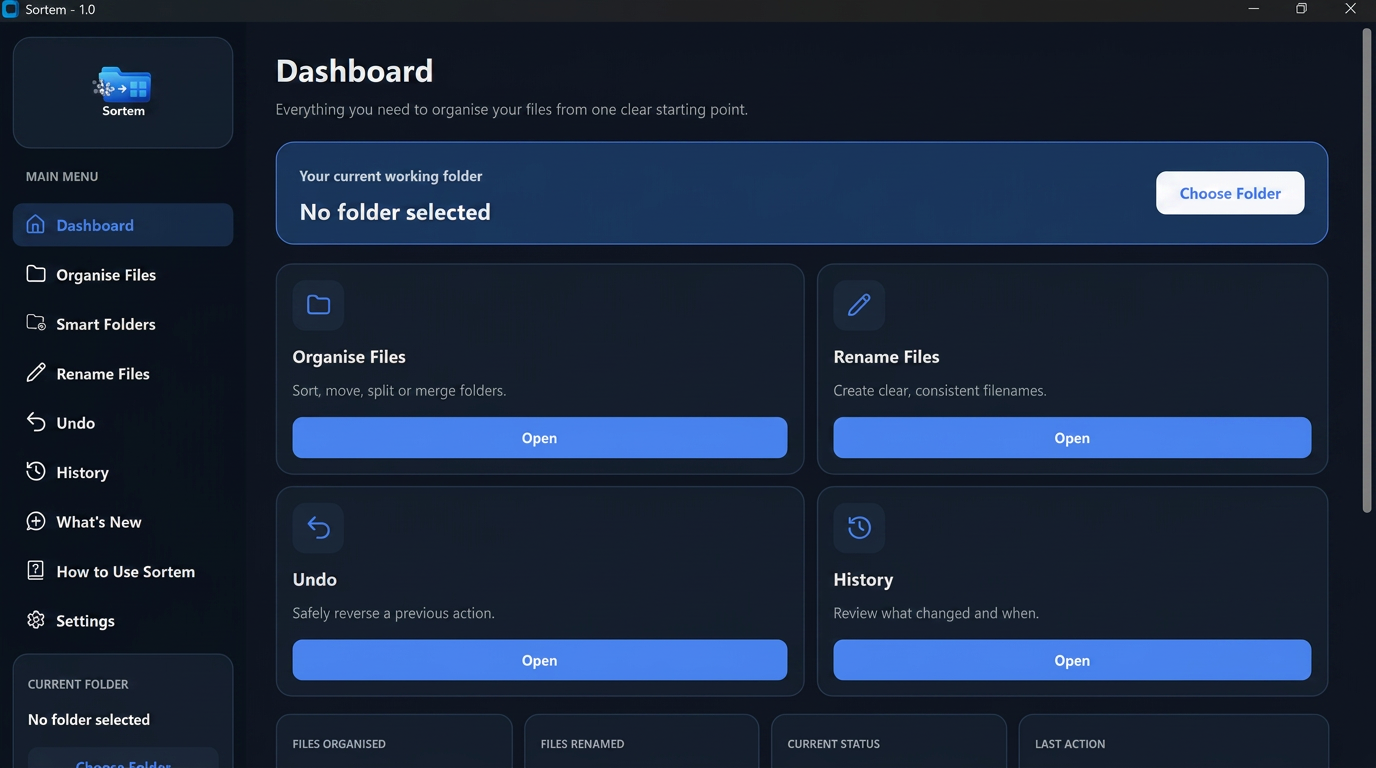
Sortem — Dashboard
Sortem desktop dashboard on Windows showing folder organisation options and recent activity

Practical examples

Photographers

Keep shoots, edits and client deliveries apart without dragging files around by hand.

  • “Sort photos into folders by year and month taken.”
  • “Separate RAW files from edited JPEGs within each shoot.”
  • “Rename exports to “ClientName_ShootDate_001” style names.”

Small businesses

Turn a shared folder of invoices, receipts and contracts into a structure the whole team can follow.

  • “Move invoices into folders by supplier and financial year.”
  • “Put signed contracts into a Contracts folder, organised by client.”
  • “Send anything Sortem can't place into an “Unsorted” folder for review.”

Frequently asked questions

Stop organising files manually

See pricing or read how we handle your privacy.